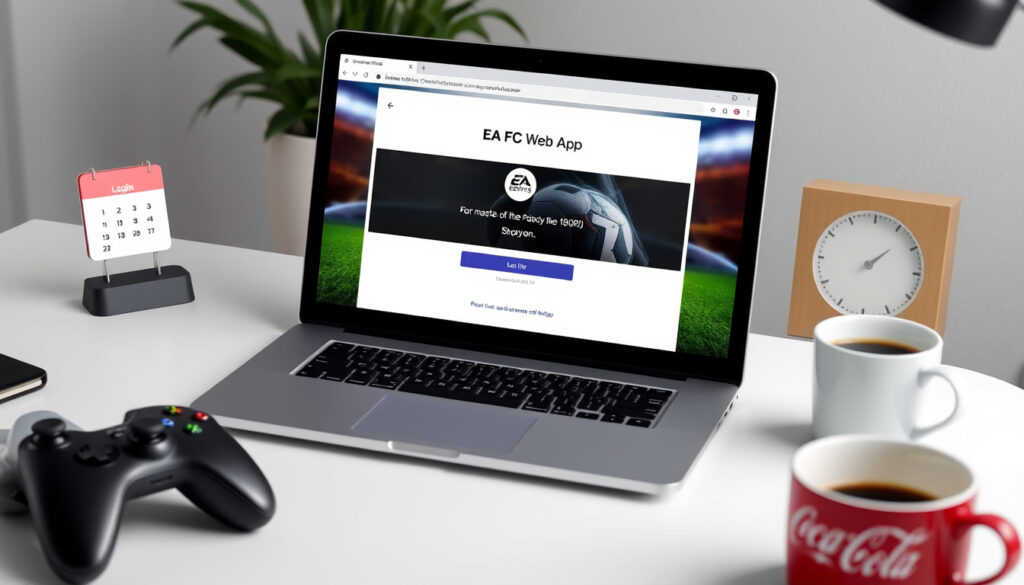
EA FC Web App: Login, Release Dates, and How to Use
The EA FC Web App lets you manage your Ultimate Team club, work the transfer market, and complete challenges from your browser without launching the console. With the FC 26 Web App already live and the full game just around the corner, here’s everything you need to know about how it works, when each version launched, and how to make the most of it.
EA FC 24 Web App Release Date: September 20, 2023 ·
FC 26 Web App Launch: September 17, 2025 ·
Companion App Refresh: September 18, 2025 ·
Platform: Browser-based ·
Required Account: EA Account
Quick snapshot
- EA FC 24 Web App released September 20, 2023 (EA Help (official support))
- FC 26 Web App went live September 17, 2025 (EA (publisher announcement))
- Web App is browser-based, free with an EA account (EA Help (official support))
- Exact features of the FC 26 Web App beyond squad management and transfer market
- Full functionality of the third-party browser extension Paletools
- Whether EA will adjust Transfer Market eligibility rules for FC 26
- Whether the Companion App will have exclusive features not in the Web App
- Whether EA will enforce a ban on accounts using Paletools
- Whether the 30-day waiting period for new accounts will remain unchanged
- EA FC 25 Web App taken offline September 12, 2025 (EA Help (official support))
- FC 26 Companion App refreshed September 18, 2025 (EA (publisher announcement))
- Ultimate Edition early access began September 19, 2025 (EA (publisher announcement))
- FC 26 worldwide launch September 26, 2025 (EA (publisher announcement))
- After November 14, 2025, players must log in to FC 26 on console/PC at least once to continue using the Web App (EA Help (official support))
- Companion App continues alongside Web App through the season (EA (publisher announcement))
Five key facts, one pattern: EA now runs a predictable annual cycle—shutting down the previous year’s Web App just days before flipping the switch on the next version. The table below lays out the official touch points.
| Item | Detail |
|---|---|
| Official Site | ea.com/ea-sports-fc/ultimate-team/web-app/ |
| Release Date (FC 24) | September 20, 2023 |
| Release Date (FC 26 early access) | September 17, 2025 |
| Platform | Web browser |
| Cost | Free with EA account |
What is the EA FC 24 Web App?
The EA FC 24 Web App, launched on September 20, 2023, marked the first browser-based Ultimate Team manager under the EA SPORTS FC banner after the FIFA split. EA Help (official support) confirms it requires an EA account and a copy of EA SPORTS FC 24. The app lets you manage your squad, trade on the transfer market, complete Squad Building Challenges (SBCs), and open packs—all without launching the game on console or PC.
Key features of the FC 24 Web App
- Squad management (lineup, chemistry, contracts)
- Transfer market buying and selling
- SBC creation and completion
- Objective tracking and rewards claiming
- Pack opening (earned or purchased with FC Points)
Differences from the FIFA Ultimate Team Web App
The most obvious change: the branding. But behind the scenes, EA used the same underlying architecture. EA Help (official support) notes that the FC 24 Web App carried forward the same login process, account linking, and basic feature set as the old FIFA version. The real difference came later: EA began enforcing stricter Transfer Market eligibility for newer accounts in FC 24 and later versions. The implication: players with fresh accounts couldn’t trade immediately, a change that carried into FC 25 and FC 26.
What is the EA FC 25 Web App?
The EA FC 25 Web App succeeded the FC 24 version in 2024, offering near-identical functionality with a refreshed interface. EA did not release a separate announcement for FC 25’s Web App; it simply followed the annual cycle. According to EA Help (official support), the FC 25 Web App was taken offline on September 12, 2025, making way for FC 26. The catch: if you didn’t own FC 25, you still had access to the Web App during its active season, but after the new game’s pre-release period, the old app became inaccessible.
Availability and features of the FC 25 Web App
- Available from launch (September 2024) until September 12, 2025
- Same core features as FC 24: squad, market, SBCs, objectives
- Companion app followed the same schedule
Comparison with FC 24 Web App
There were no dramatic feature additions. EA’s annual updates tend to be cosmetic and backend-focused. The main difference was the Transfer Market eligibility timeline: new accounts had to wait longer before they could buy items on the market in FC 25. EA (publisher announcement) later confirmed that the thirty-day waiting period continued for FC 26. The pattern: EA uses the Web App as a tool to curb coin farmers and unauthorised third-party sellers.
What is the FC 26 Web App?
The FC 26 Web App went live on September 17, 2025, a week before the full game’s worldwide release. According to EA Help (official support), players with an account in good standing could start using the Transfer Market immediately. The companion app refresh followed on September 18, and Ultimate Edition holders gained early game access on September 19. Reports from Video Games Chronicle (gaming press) indicate the Web App went live around 6 PM BST / 1 PM EDT / 10 AM PDT, though EA never officially confirmed a specific time.
Early access start date: September 17, 2025
- Web App became usable immediately for eligible accounts.
- Companion App refreshed September 18.
- Ultimate Edition early access (console/PC) started September 19.
- Full game launch: September 26.
Expected features and changes
EA hasn’t detailed any radical changes to the Web App’s feature set for FC 26. Based on EA’s pitch notes (developer blog), the Web App continues to support squad management, transfer market, SBCs, objectives, and pack opening. The big new factor: after November 14, 2025, players must log in to Ultimate Team on console or PC at least once to keep using the Web and Companion Apps. The trade-off: if you skip that one login, you lose access—even if you’re only a Web App trader.
How to Log In to the EA FC Web App?
Logging in is straightforward, but a handful of common errors can trip people up. Here’s the official flow and what to do when it doesn’t work.
Step-by-step login instructions
- Open your preferred browser and go to ea.com/ea-sports-fc/ultimate-team/web-app/ (EA official site).
- Click “Sign In” and enter your EA account email and password.
- If you have two-factor authentication enabled, complete the verification.
- Once signed in, the Web App loads your Ultimate Team club.
- If you’re new to Ultimate Team, you’ll need to complete the on-boarding steps before accessing the market.
Troubleshooting common login errors
- Page doesn’t load: Clear your browser cache and cookies, then try again. EA Help (official support) recommends using Chrome, Firefox, or Edge in their latest versions.
- “Login Failed” message: Check your internet connection. Disable any VPN or privacy extensions that might block EA’s servers.
- Stuck on “Loading…” screen: Try a different browser or an incognito window. Some users report that third-party extensions (especially Paletools) cause conflicts.
- No Transfer Market access: EA restricts the market for new accounts. You must have played Ultimate Team on console or PC for at least 30 days (or own the game and have logged in).
What is the EA FC Web App Extension?
The EA FC Web App Extension refers to unofficial browser add-ons—most notably Paletools—that enhance the Web App with additional features. EA does not endorse or support any extensions, but they’re widely used in the community.
Purpose of the browser extension
Paletools adds a “mass list” button for the transfer market, price range overlays, and quicker navigation between your squad and SBC screens. According to community reports, the extension also provides auto-refresh for the transfer list. Reddit community (player forums) discussions suggest that EA occasionally updates the Web App’s code to break extensions, but Paletools’ developer releases patches quickly. The catch: using any third-party extension violates EA’s terms of service, and EA reserves the right to ban accounts that modify the Web App’s behaviour.
How to install and use it
Paletools is available as a Chrome extension. To install, visit the Chrome Web Store and search for “Paletools” (note: it’s not officially listed—only accessible via a direct link from the developer’s site). After installation, the extension activates automatically when you load the EA FC Web App. A toolbar appears with options to enable mass listing, auto-refresh, and price overlays. Use at your own risk: EA may flag activity patterns that look automated. The safer route is to rely on the Web App’s built-in features and avoid extensions altogether.
Timeline: EA FC Web App versions
- September 2023 – EA FC 24 Web App launched (EA Help)
- 2024 – EA FC 25 Web App replaces FC 24 version
- September 12, 2025 – FC 25 Web App taken offline (EA Help)
- September 17, 2025 – FC 26 Web App goes live (EA Help)
- September 18, 2025 – FC 26 Companion App refreshed (EA)
- September 19, 2025 – Ultimate Edition early access begins (EA)
- September 26, 2025 – FC 26 worldwide launch (EA)
What’s confirmed and what’s unclear
Confirmed facts
- EA FC 24 Web App released September 20, 2023
- FC 26 Web App went live September 17, 2025
- FC 25 Web App was taken offline September 12, 2025
- Web App is browser-based and free with an EA account
- Transfer Market requires account in good standing (EA Help)
- After November 14, 2025, players must log in to FC 26 on console/PC at least once to keep using apps (EA Help)
What’s unclear
- Exact new features of the FC 26 Web App beyond what EA has shown
- Whether Paletools or similar extensions will work long-term
- Specific launch time of the FC 26 Web App (reported as around 6 PM BST, but EA didn’t confirm) (Video Games Chronicle)
- Whether the Companion App will have exclusive features
- Whether EA will adjust the 30-day waiting period for new accounts
- Whether EA will enforce a ban on accounts using Paletools
Quotes from official and news sources
“EA SPORTS FC 26 Web App went online on 2025-09-17. The Companion App became available on 2025-09-18.”
— EA Help (official support) on the early app schedule
“Multiple media outlets reported the FC 26 Web App release time as around 6 PM BST / 1 PM EDT / 10 AM PDT on 2025-09-17.”
— Video Games Chronicle (gaming press) on the launch window
The shift from FIFA to EA SPORTS FC didn’t change the Web App’s core value: it remains the easiest way to keep your Ultimate Team ticking even when you’re away from the console. But EA is tightening the rules—mandatory console login after the first two months, stricter Transfer Market eligibility, and an ever-present threat of bans for extension users. For the casual trader, the Web App still offers a huge convenience. For the dedicated market grinder, it’s worth remembering that EA’s tolerance for third-party tools is thin.
help.ea.com, help.ea.com, help.ea.com, windowsreport.com, youtube.com, mirror.co.uk, fut18italia.it, khaleejtimes.com, si.com
For a detailed walkthrough of the latest features, check out this EA FC Web App 2026 guide that covers everything from login to the transfer market.
Frequently asked questions
Is the EA FC Web App free?
Yes. The Web App is free to use with any EA account. You do not need an active game subscription to log in, but you must have a copy of EA SPORTS FC linked to your account to unlock the full features.
Can I use the Web App on my phone?
The Web App is designed for desktop browsers. EA offers a separate Companion App for iOS and Android that provides the same functionality from your phone.
What is the difference between Web App and Companion App?
The Web App runs in a browser on PC or Mac. The Companion App is a native mobile app. Both offer the same features: squad management, transfer market, SBCs, and objectives. The Companion App can send push notifications; the Web App cannot.
How do I link my console account to the Web App?
Log into your EA account on the Web App using the same email you use for your console. The system automatically syncs your club. If you have separate accounts, you’ll need to link them on the EA Account settings page.
Why is my EA FC Web App not loading?
Common causes: outdated browser, full cache, VPN interference, or server downtime. Clear your cache, disable extensions, and check EA Help (official support) for server status.
Can I trade players on the Web App?
Yes. The transfer market is fully accessible on the Web App, provided your account is eligible (in good standing, not brand new). You can list players, bid, and complete purchases.
Do I need to own the game to use the Web App?
You can log in and explore the basic menu without owning the game. However, to access the transfer market and build a squad, you must have played Ultimate Team on PC or console at least once. After November 14, 2025, you must have logged into FC 26 on console/PC (paid copy required) to continue using the Web App.
More related posts
 How to Jump Start a Car with Leads – Step-by-Step Safety Guide
 Dyson Ball Multi Floor 2 Review: Is It Worth It? (2025)
 Ireland Defence Forces Convictions: Rules and Consequences
 Rent a Van in Dublin: Best Prices, No Deposit & Airport Rentals
 Margot Robbie and Colin Farrell: Age Gap, Film, and Relationship Facts
 Captain America: Brave New World — Hits, Flops, Reviews
 Home and Away Episodes – Where to Watch In Order
 Man City vs Crystal Palace Timeline: Key Matches & Viewing Guide